Built around the problems instructional designers actually face

LearnBuilder combines AI-powered content creation with interactive learning experiences that make knowledge stick.

01 · Authoring

A block library that's a real library.

Seventeen block types — each earns its place. AI that drafts in the language of your source material, not a generic content firehose.

Video
Quiz cue-points, transcripts
01
Quiz
MC, short answer, numeric
02
Flashcards
Spaced-repetition ready
03
AI Dialogue
AI-played character w/ rubric
04
Hotspot Image
Click-to-explore visuals
05
Drag & drop
Match, rank, sort
06
Slideshow
Classic slide deck
07
Interactive Slides
Canvas + triggers
08
Document
Attach PDF, DOCX, PPTX
09
Graph
Charts and data viz
10
Process Flow
Decision trees
11
SCORM / xAPI
Import wrapped content
12
Embed
Custom HTML, CSS, JS
13
Feedback
Learner rating & survey
14
Accordion / Tabs
Structured disclosure
15
Live Session
Scheduled webinars
16
Content
Rich text, images, tables — flexible layout
17
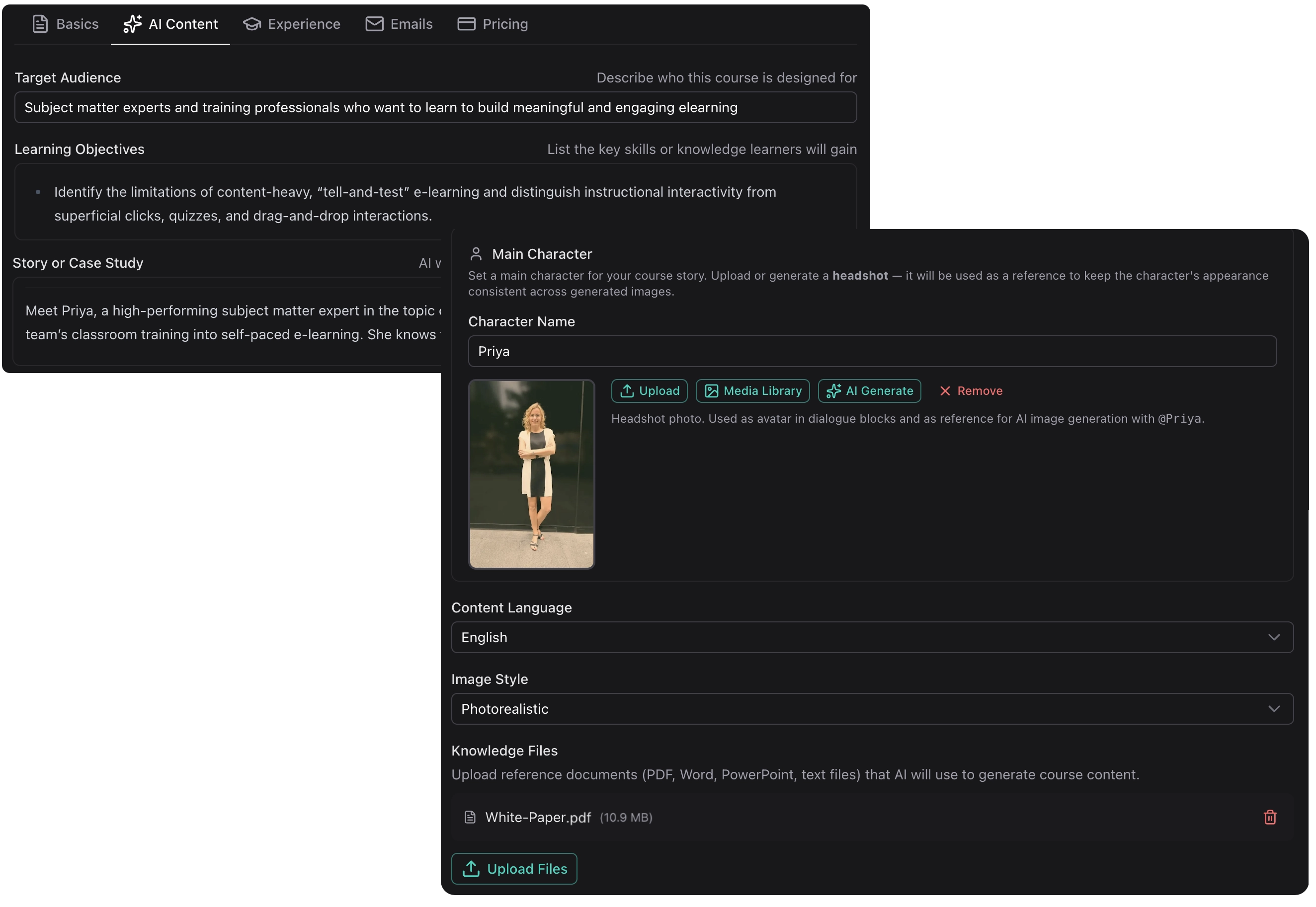
AI-Powered Generation
AI-Powered

AI that understands instructional design — not just content generation

Our AI understands instructional design principles and generates structured, pedagogically sound content from your input.

  • Automatic lesson sequencing from your source material
  • AI-generated images that match your content and style
  • Extract key concepts from your existing materials
  • Intuitive block editor for fine-tuning
Why this matters
A branching scenario in Storyline: 3 days.
In LearnBuilder's AI Dialogue: 15 minutes.

No trigger trees to maintain. No state variables to debug.

02 · Engagement

Make learners do something.

Practice, discovery, and decision-making — not click-through theatre. Four block types that turn passive viewing into active learning.

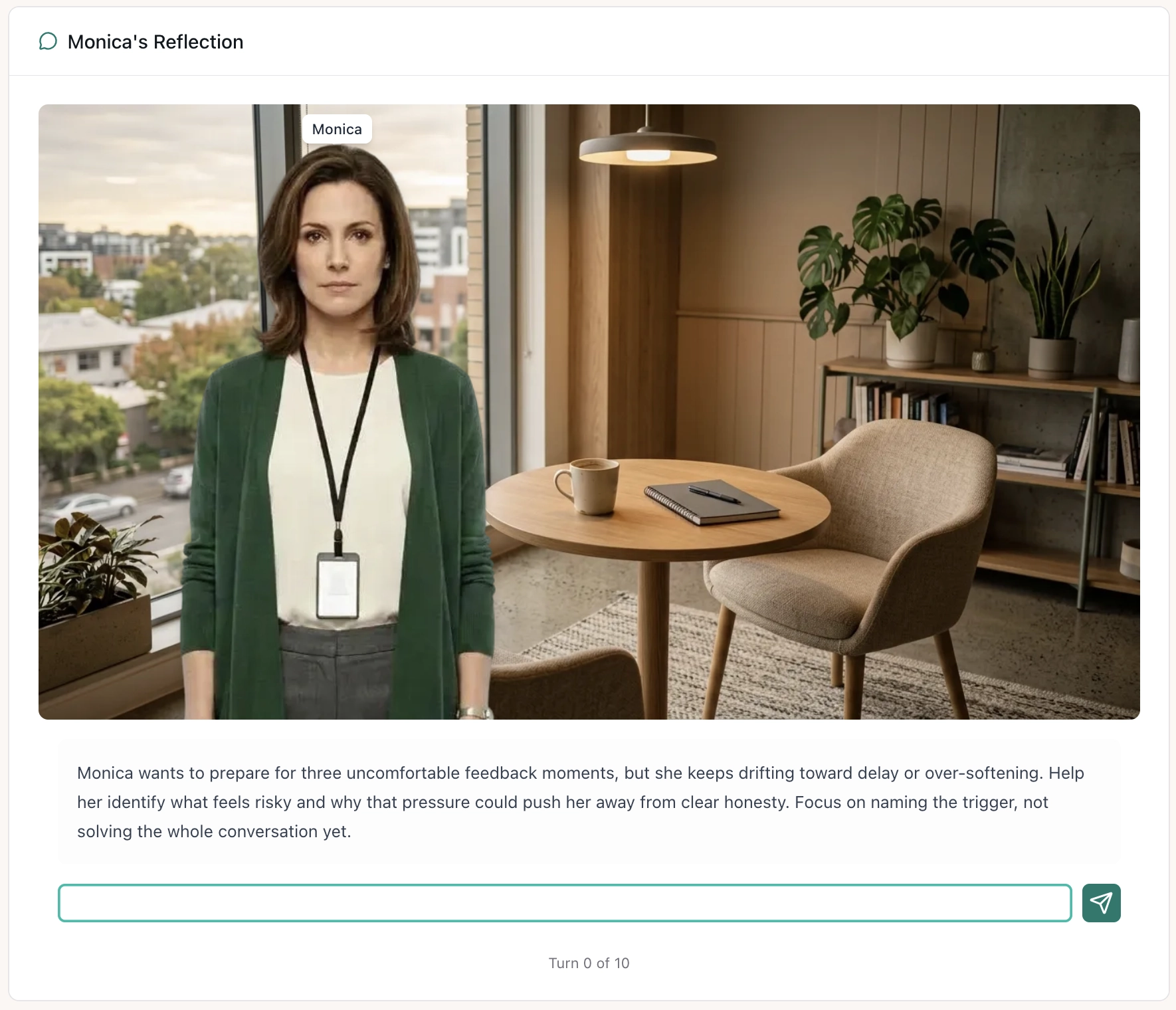
AI DIALOGUE · Difficult conversations
Monica's Reflection — scenario briefing
AI Dialogue

Beyond static content

Building realistic branching in traditional tools takes days of authoring. LearnBuilder's AI Dialogue flips the model: the AI plays a character and responds dynamically to what the learner actually says — no pre-scripted dialogue trees to maintain.

  • Sales practice: AI plays a sceptical customer
  • Difficult conversations: HR scenarios, conflict resolution
  • Compliance: Decision-making under realistic pressure
INTERACTIVE SLIDE · Variables & triggers
score:0
Spot the red flags
Interactive Slides

Block-based speed meets canvas freedom

LearnBuilder gives you the best of both worlds: block-based editing for quick, responsive content — and Interactive Slides when you need full creative control. Place text, images, shapes, videos, and buttons anywhere on a canvas. Add a trigger→action system to show, hide, or animate elements on click, hover, or timer.

  • Process diagrams with reveal-on-click steps
  • Labelling exercises with drag-and-drop
  • Scenario walkthroughs with branching navigation
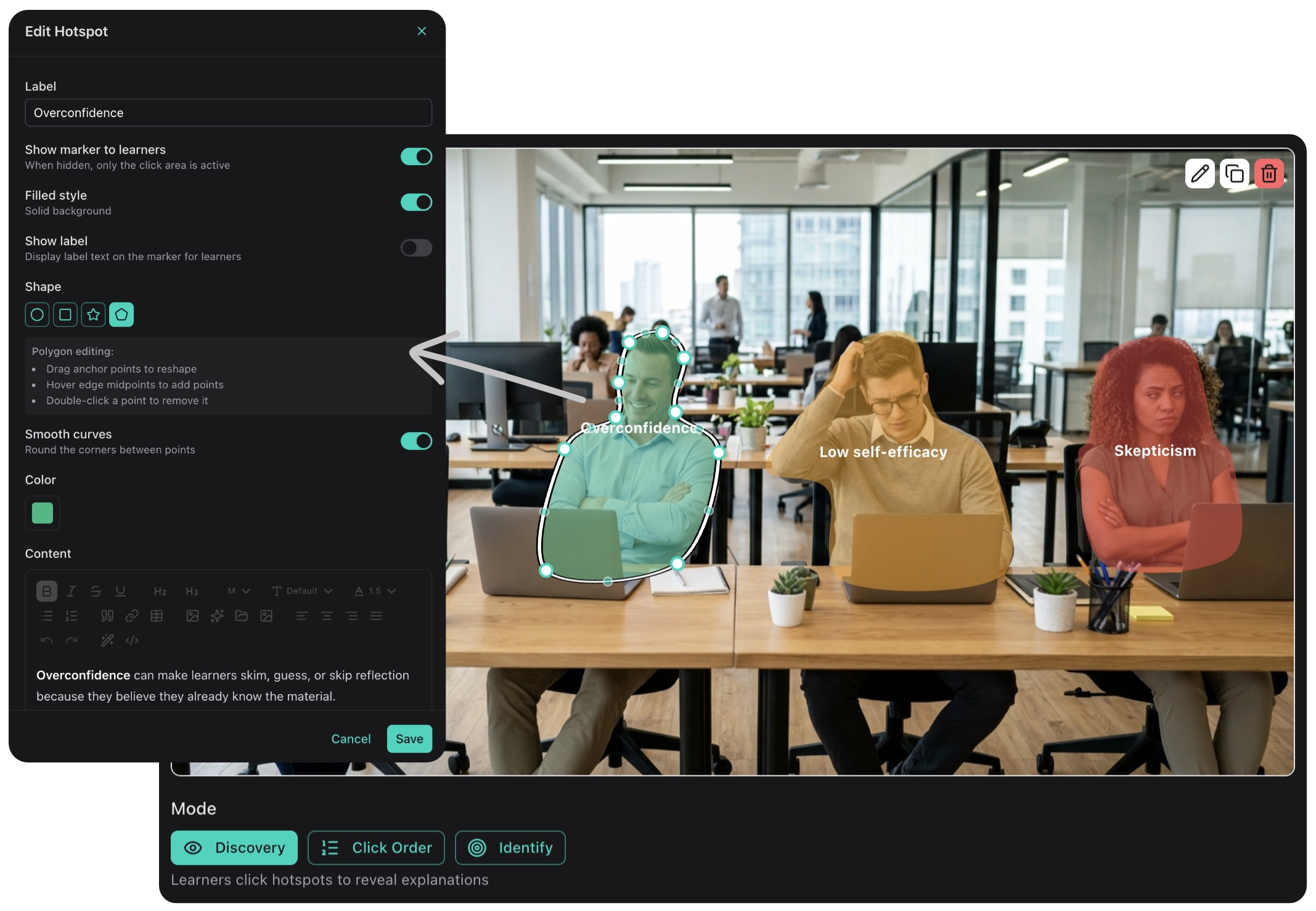
Discovery-based learning with hotspot images
Hotspot Images

Discovery-based learning with hotspot images

Add clickable hotspots in any shape to images for discovery-based learning. Learners explore diagrams, equipment, or processes at their own pace.

  • Equipment familiarization
  • Anatomy and diagrams
  • Software interface tours
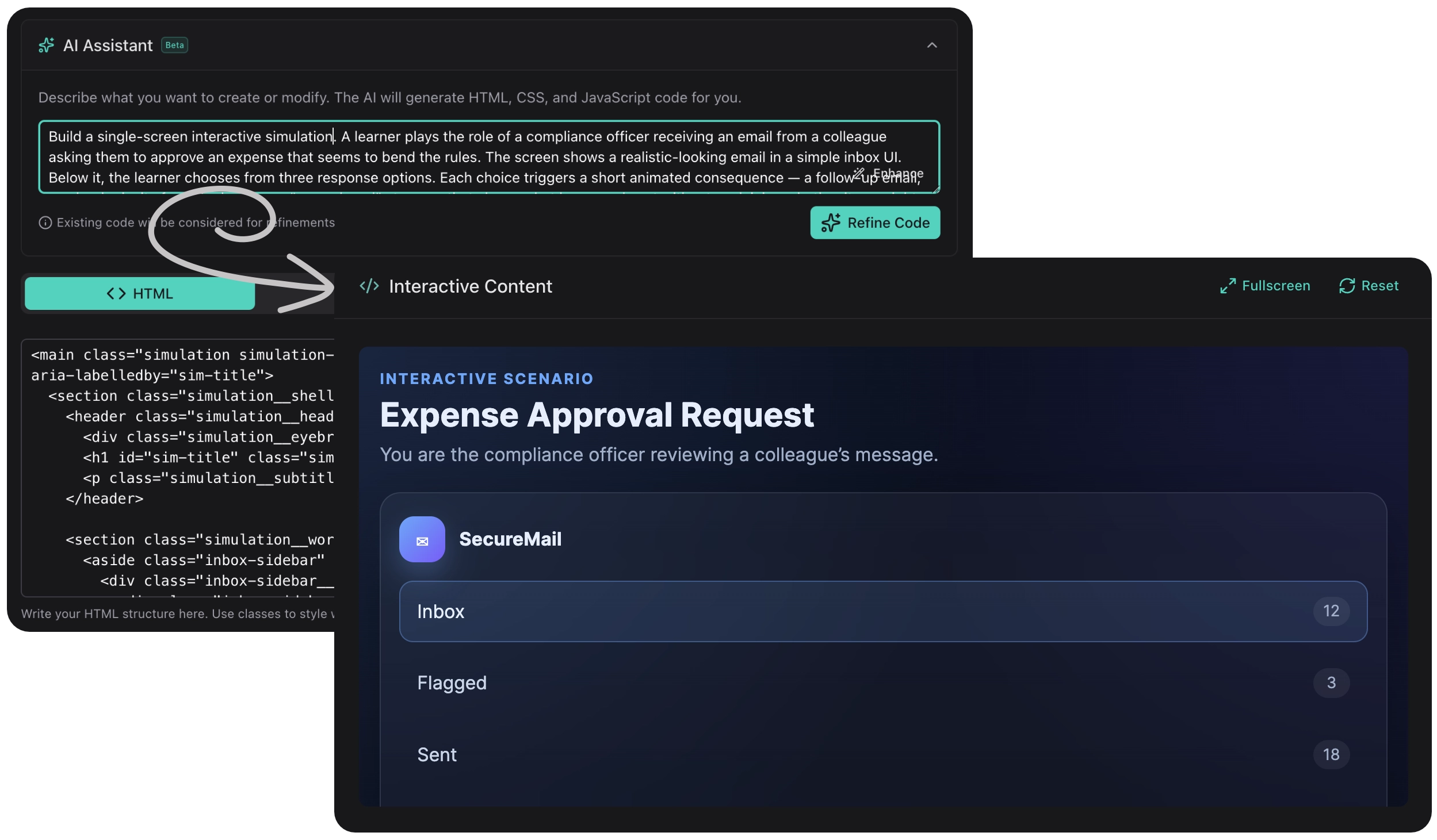
Build anything with code — or let AI build it for you
Custom Embed & Code

Build anything with code — or let AI build it for you

Need something LearnBuilder doesn't have? The Custom Embed block lets you add any HTML, CSS, and JavaScript — with a built-in AI coding assistant that writes the code for you. Describe what you want, and the agent builds it.

  • Custom calculators and interactive tools
  • Embedded third-party widgets and simulations
  • Data visualizations and animated infographics
03 · AI agents

Two agents that stay in their lane.

Tutor answers. Assessment grades. Each scoped to one job — no sprawling chatbot that guesses at everything.

AI Tutor

Learner support that doesn't hallucinate

Learners always have questions your course didn't anticipate — especially "how does this apply to my situation?" LearnBuilder's AI Tutor answers those questions grounded exclusively in your course content and knowledge files. It refers learners to specific lessons rather than generating unreliable answers. Scoped, trustworthy, always available.

  • Asks grounded in your course.
  • Cites the lesson.
  • Never the open web.
AI Grading

Feedback that scales

Every learner gets individual feedback on essays, open questions, and scenario responses. The AI evaluates against your rubric — scaling the kind of grading that used to be multiple-choice-only.

  • AI-powered essay and short answer evaluation
  • Configurable grading criteria and rubrics
  • Dedicated model selection for assessment tasks
04 · Delivery

Publish once. Reach everywhere.

The unglamorous parts that move deals: accessibility, LMS interoperability, localization, and monetization.

WCAG 2.2

Accessibility checks built in

Catches missing alt text, video captions, keyboard traps, heading order, and vague links before publish.

SCORM · xAPI

Export to any LMS

SCORM 1.2 packages drop into any LMS. xAPI statements emit to any LRS you configure.

14 languages

One-click translation

Translation preserves course layout, block structure, and IDs — ready for review and locale-specific tweaks.

Stripe

Sell direct

Public catalogue, private cohorts, embedded checkout. Your domain, your brand, 0% platform fee.

Your turn

Pick any feature above. Try it in 9 minutes.

Free forever plan. No card. No AI required. Import your first SCORM package or start from a blank block.